
How to use Reflections
The Reflections feature is a way to track how you feel about your writing sessions. It is part of the Mindset pillar of the ProWritingMethod.
How to add a Reflection
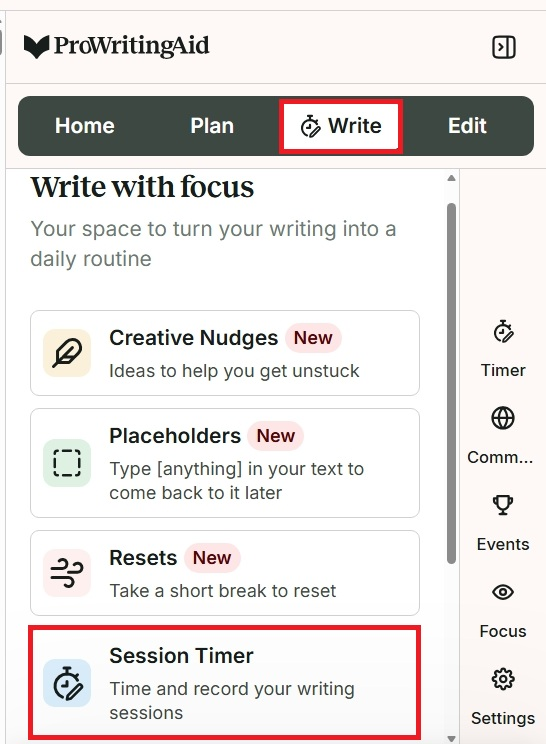
The Reflections feature is within the Session Timer. To find it, click on “Write” mode, then click on “Session Timer.” We have highlighted these actions in red in the image below.
Next, click on the “Start session” button to start your writing session. We have highlighted this button in red in the image below.
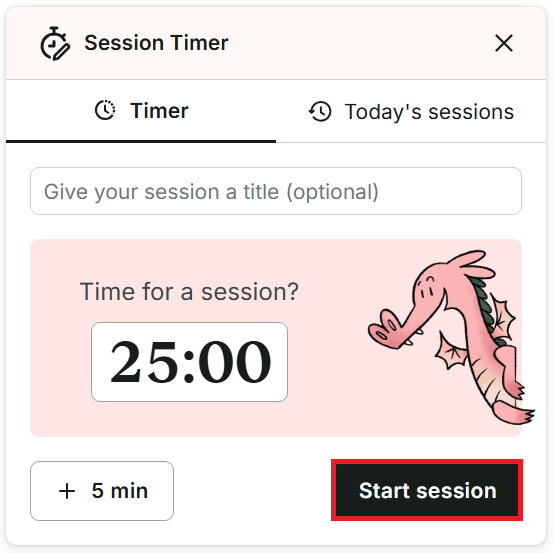
Your writing session will begin. You can also find out more about how to use the Session Timer in our Help Center article.
When you finish your writing session, you will have the option to enter a session title again, and enter your word count for the session.
We will also ask “How are you feeling?” You can select a color-coded score from 1 to 10, where 1 is “Drained” and 10 is “Energized.” You can also type about what you worked on or add any further details about your mood in the field under “Session notes.” Finally, click the black “Save & Start new” button to save your session and the Reflection.
How to track your Reflections over time
To see all of the Reflections you have added to your writing sessions, visit the “Progress” section of your dashboard.
You can view your Reflections in a table format, where they are color-coded with a description in the “Mood” column. We have shown an example of this table in the image below.
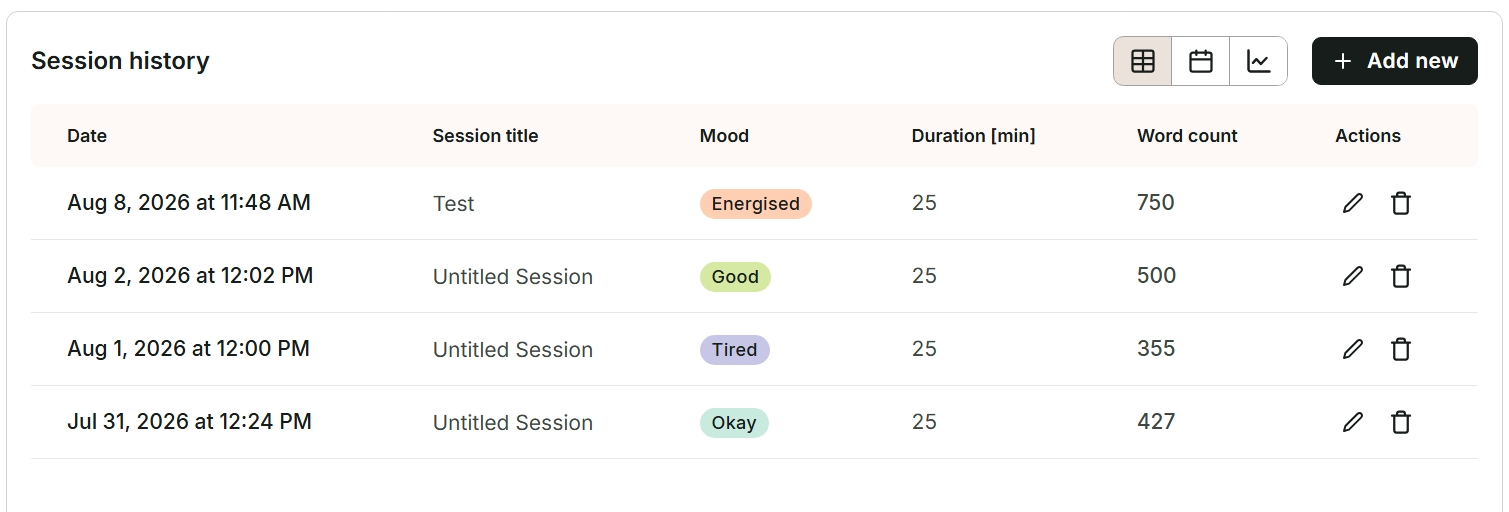
Alternatively, you can view your Reflections in a color-coded calendar or bar chart format over the last 30 days.
How to change a Reflection
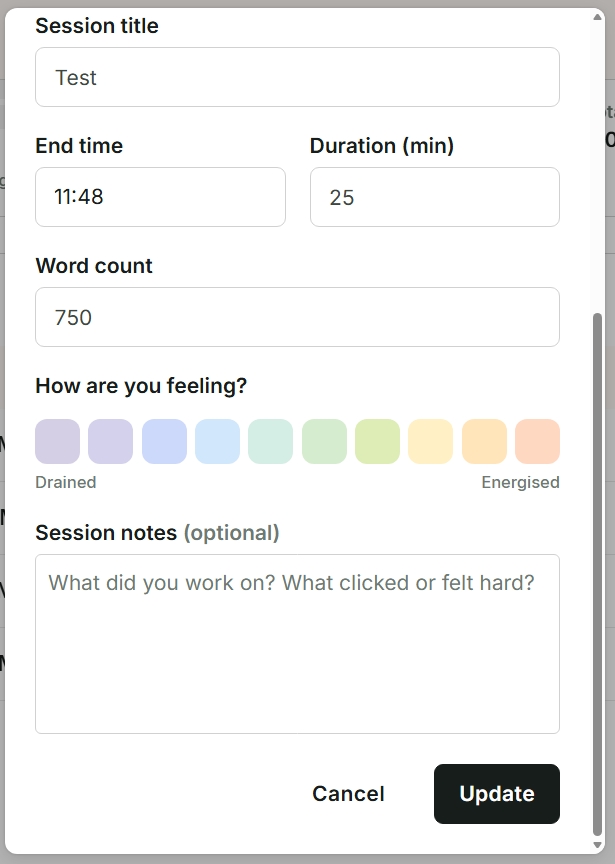
If you want to change a previous Reflection, you can do this at any time. Click on the edit icon in the “Actions” column. The “Update your writing session” window will appear. Scroll down to “How are you feeling?” and select your new score from 1 to 10. You can also add to or edit your session notes. Finally, click on the black “Update” button. We have shown an example of this window in the image below.
ProWritingAid is more than just an editing assistant; we’re here to help you bring your story to life. Unlock your story’s full potential with our in-depth writing reports, actionable feedback, and more.