
How do I use Plot Analysis?
Plot Analysis is a report that helps you understand and strengthen your story’s structure by analysing plot pacing, character arcs, and essential story beats. It generates a comprehensive review of your story’s plot and compares it against the classic Three Act Structure.
How to run Plot Analysis
If you’re using the Web Editor, under “Reports,” click on the “Critique” icon. We have highlighted this in red in the image below.

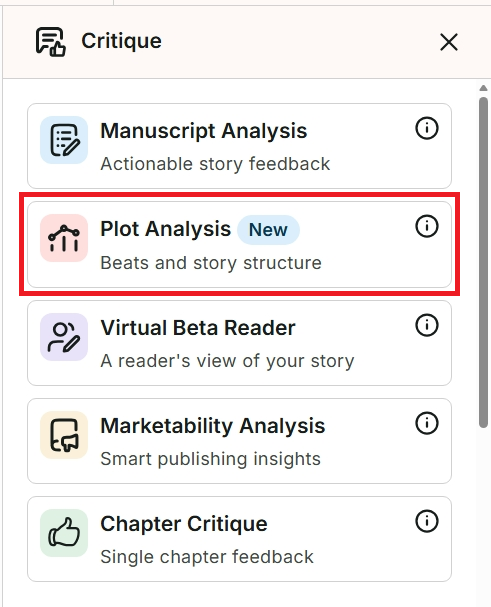
The “Critique” sidebar menu will appear in the righthand side window. Click on “Plot Analysis.” We have highlighted this in red in the image below.
If you’re using Desktop Everywhere, click on the floating ProWritingAid icon. Click on “Critique,” then click on “Plot Analysis.”
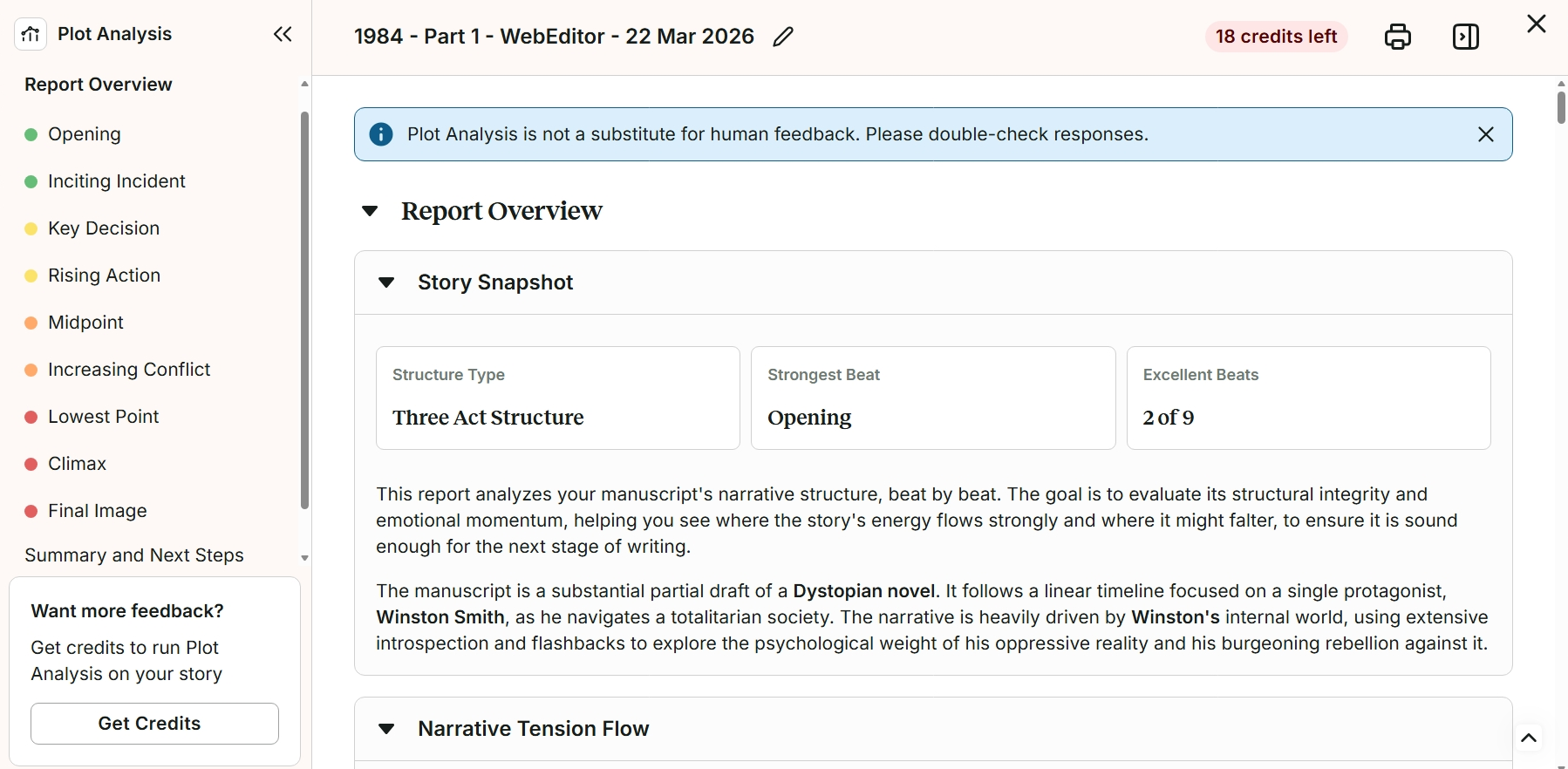
Finally, click on the “Run Plot Analysis” button and the report will run. It costs 1 Story Credit to run Plot Analysis once. Depending on the length of your manuscript, you may need to wait 4 to 5 minutes for it to generate in a new window. We have shown an example of what the start of the Plot Analysis report looks like in the window below.
How to use the feedback in Plot Analysis
The report analyses your Plot against the established Three Act Structure. It checks for the 9 story beats within the Three Act Structure:
- Opening
- Inciting Incident
- Key Decision
- Rising Action
- Midpoint
- Increasing Conflict
- Lowest Point
- Climax
- Final Image
It then evaluates each of these with color-coding as:
- Green: No issues found
- Yellow: Minor concerns
- Orange: Concerns
- Red: Major concerns
Click on each story beat in the lefthand side menu to jump to it in the report. You can read a detailed analysis of the story beat, as well as the impact on the character arc. All sections will include “Things to Consider” that pose questions about the specific story beat. And for those identified as a concern, you can also see a list of “Suggested improvements.”
Finally, the “Summary and Next Steps” section includes and overall assessment of your story and its pacing, as well as a list of key takeaways.
How to view your Plot Analysis report later
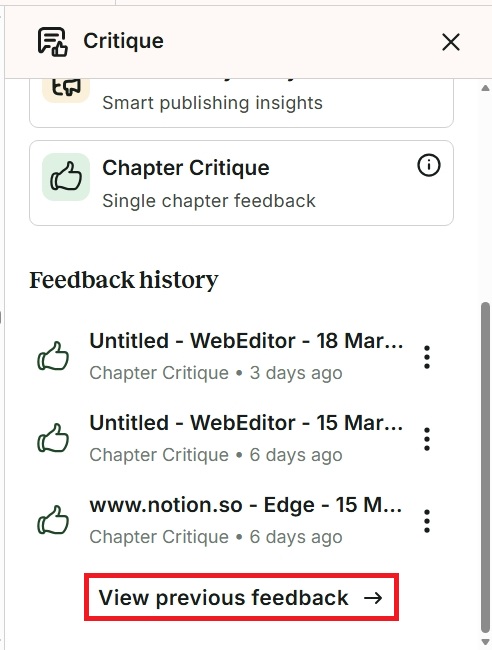
You can view your Plot Analysis report again at any time. To do this, click on “Critique,” then scroll down to “Feedback History.” Click on “View previous feedback” to see all instances where you previously ran Plot Analysis. We have highlighted this in red in the image below.
How to print or download Plot Analysis
Plot Analysis has lots of detailed insights, templates, and plans. If you’d like to continue with your writing and save your analysis to look at later, you can print or download it instead.
To do this, click on the “Print” icon button at the top of the analysis. We have highlighted this button in red in the image below.

From here, you can either print the document or select “Save as PDF” in the drop-down menu under “Printer.” Then click the “Save” button to download the .pdf file to your computer.
Purchasing credits for Plot Analysis
You can run Plot Analysis by using Story Credits. You can purchase Story Credits directly on our website. Each time you run Plot Analysis, it will cost one credit as an introductory offer.
If you have a Premium plan, you will get up to 40% off Story Credits. And if you have a Premium Pro plan, you will get up to 65% off Story Credits.
ProWritingAid is more than just an editing assistant; we’re here to help you bring your story to life. Unlock your story’s full potential with our in-depth writing reports, actionable feedback, and more.